HydroFast: Water and Fasting Tracking in One Android App
Published:
HydroFast combines water intake logging and an intermittent fasting timer on Android. It currently offers free access without an account, with core tracking stored on your device.
HydroFast is an Android app for keeping water intake and fasting sessions in one place. Its home screen brings a running water total and the current fasting timer together, so someone who already records both habits can check them without moving between separate apps. It is available through Google Play; there is no iPhone, desktop or browser app advertised in the current documentation.
A brief disclosure: HydroFast developer Syed Shahbaz Hussain is my friend and supplied the product information and screenshots. This introduction draws on those materials and the app's public documentation, rather than hands-on testing. The screenshots contain fictional demonstration data; the names, dates, goals and progress shown are not my results or recommended targets.
The useful question is whether the recording tools fit your routine. You can log water without using fasting features, and the combined dashboard does not require you to follow a particular schedule. Here is what the documented tools do, and where their limits matter.
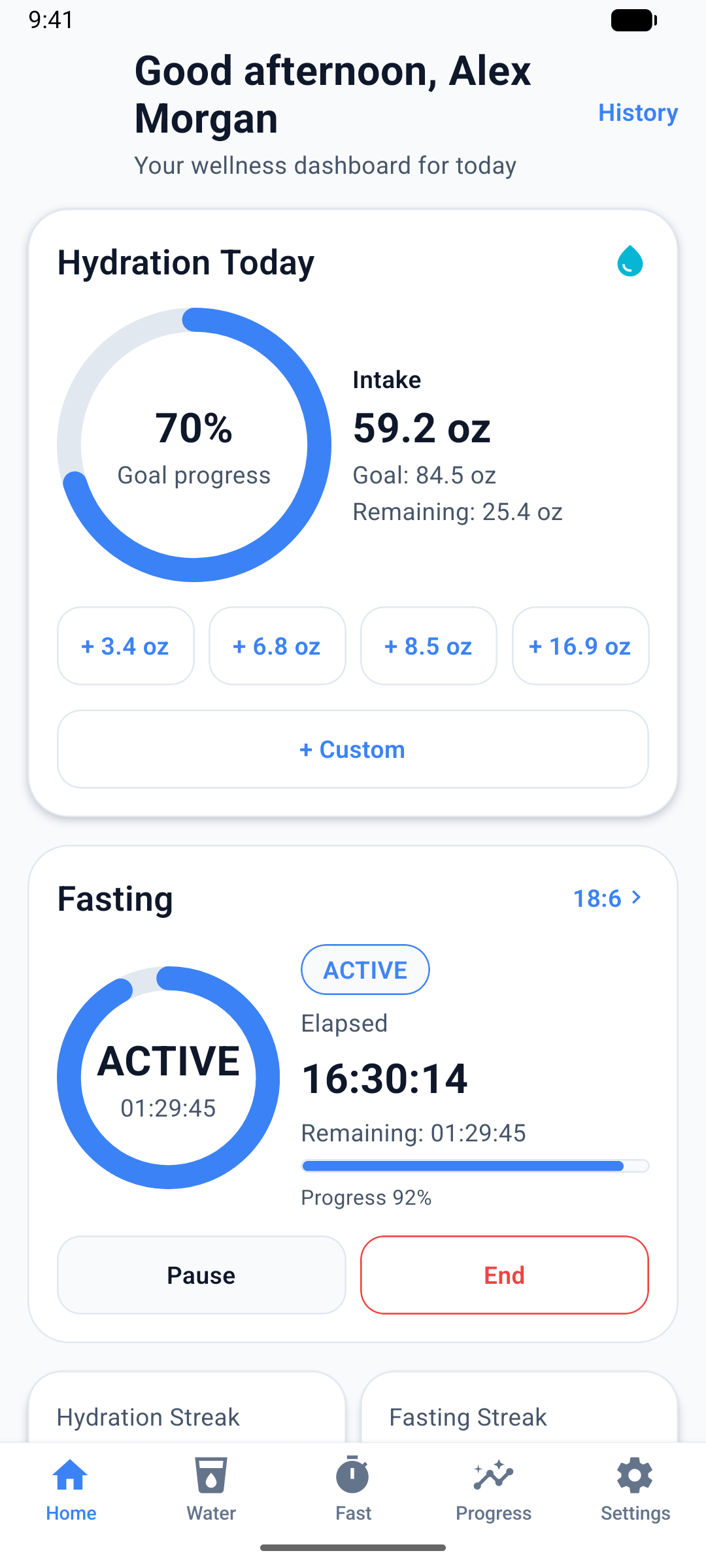
HydroFast screenshots provided by the developer. Fictional demonstration data, captured October 6, 2026.
Log the water you actually drink
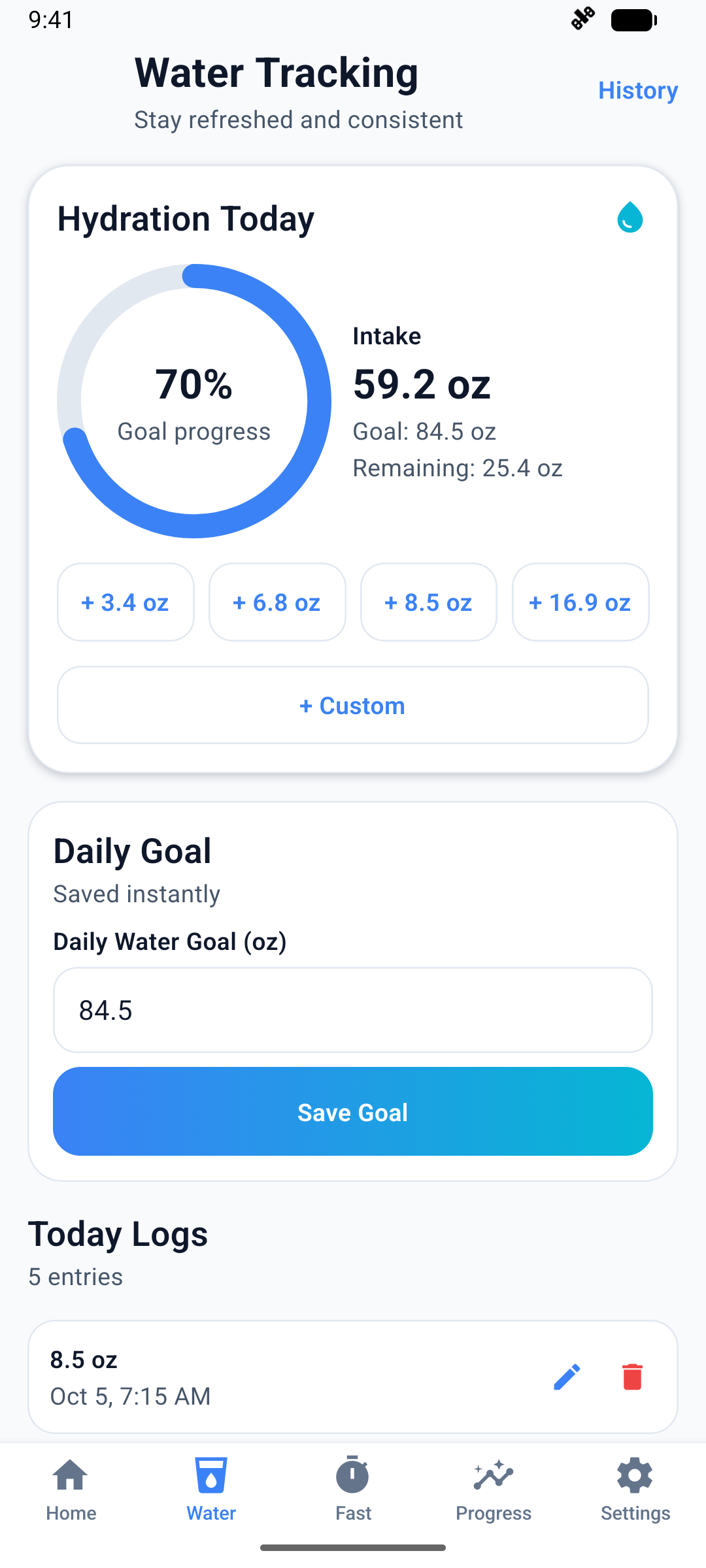
Start with the amount consumed, rather than the size of the container. If you drink 8 US fluid ounces from a glass, select ounces in Settings and record a custom 8 oz entry. A bottle sitting on your desk is not a completed drink: only add what you have actually consumed. This keeps the running total meaningful when you return later.
The four quick-add buttons represent 100, 200, 250 and 500 ml, displayed approximately as 3.4, 6.8, 8.5 and 16.9 oz. The 8.5 oz shortcut is not an exact 8 oz entry. If you prefer metric units and drink 250 ml, that preset fits; 250 ml and 8 US fl oz are different quantities. These are logging examples, not intake recommendations.
Saved entries can be corrected or deleted. You set the daily goal yourself, then check the logged amount, remaining amount and completion percentage. The hydration feature guide explains these controls. Treat that percentage as progress against your chosen setting, not a medical assessment of how much water you need.
Use the fasting timer as a record
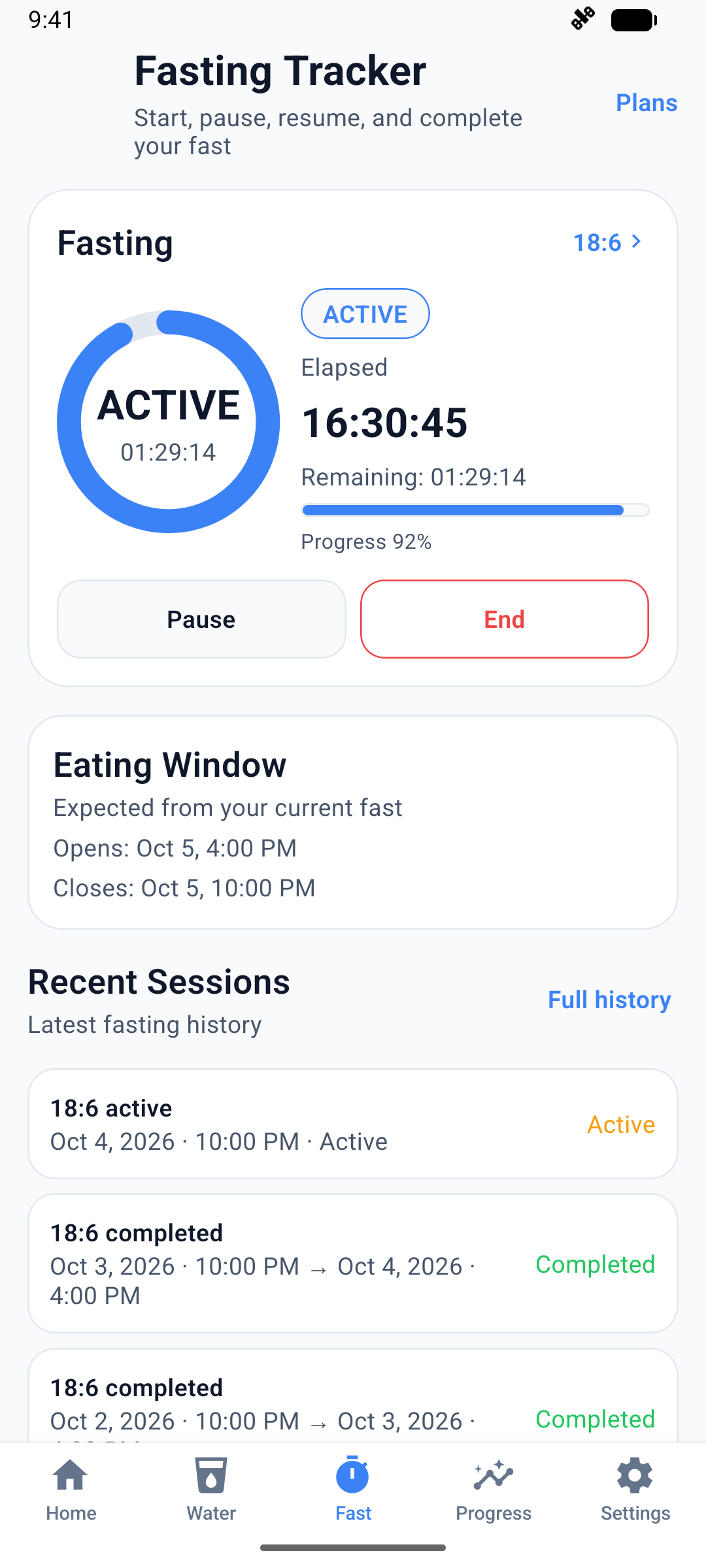
HydroFast's timer records the session you start and displays elapsed time, remaining time and the expected eating window. Start, Pause, Resume and End controls let you manage its state, while session history gives you a record to revisit. These are software controls, not instructions about when you should eat.
The available presets include 12:12, 14:10, 16:8, 18:6, 20:4 and OMAD, alongside custom schedules. Their presence is not a recommendation to use any particular plan. The fasting feature page describes the timer and history; HydroFast is a wellness and habit tracker, not medical advice, treatment or a promise of weight loss.
If you already began a fast before opening the app, you can supply the earlier date and time when creating a new session. That distinction matters: the documented option starts a new record with an earlier time; it does not edit the start of an existing session.
Keep reminders and progress within reach
Hydration reminders can use intervals or chosen times, and fasting reminders can mark a start or completion. They run as local Android notifications. Supported notification actions let you log water or snooze a prompt; the home screen widget provides another way to check status and reach quick actions. These shortcuts may suit someone who prefers a brief check-in to opening the full app each time.
The feature overview also lists Today, Week and Month views, charts, history, streaks and achievements. Use those records to review what you logged. A streak reflects entries and consistency in the app, rather than proving a health benefit. Reminder timing is not guaranteed, so the timer and saved record remain worth checking directly.
The current Google Play listing includes Hydration, Fasting and Complete Wellness PDF reports generated on the device. You can save, share or open a report for a selected period. A PDF is a readable summary, not a restorable backup or a CSV export.
Free access, offline tracking and privacy limits
At the time of this introduction, HydroFast is free to use without a required purchase or online account. Initial profile preferences are local setup, not a sign-in. This describes current access and does not promise that pricing will remain unchanged forever.
Core tracking works offline using records on your device. Downloading the app needs internet access, and the official site says there is no cloud sync or backup-and-restore feature. That matters if you replace a phone or remove app data: do not assume a new installation will recover your old tracking history.
There is a separate exception for voluntary Help & Support requests. The privacy policy explains that a submission sends your email, message, any chosen attachment and limited technical information to the support service. Local tracking therefore does not mean that absolutely no information ever leaves the device. Choose what to include when asking for support, particularly in a screenshot.
Quick questions
Is HydroFast free?
Do I need an account?
Can I use it offline?
Can I switch between ounces and milliliters?
Explore HydroFast
If one Android dashboard suits the habits you already track, explore the official HydroFast website or get HydroFast on Google Play. Review the current features and privacy details before installing, and judge the app by whether its logging tools fit your needs.
Sources and editorial note
Product claims checked against these official sources on November 3, 2026. This is a software introduction, not an independently tested review or health guidance.